
Advanced WooCommerce product sorting and reordering plugin with drag-and-drop sorting, automatic sorting rules, category/tag/brand-level control, product boosting campaigns, sort/hide out-of-stock products, schedule sort product, analytics, and bulk catalog management.
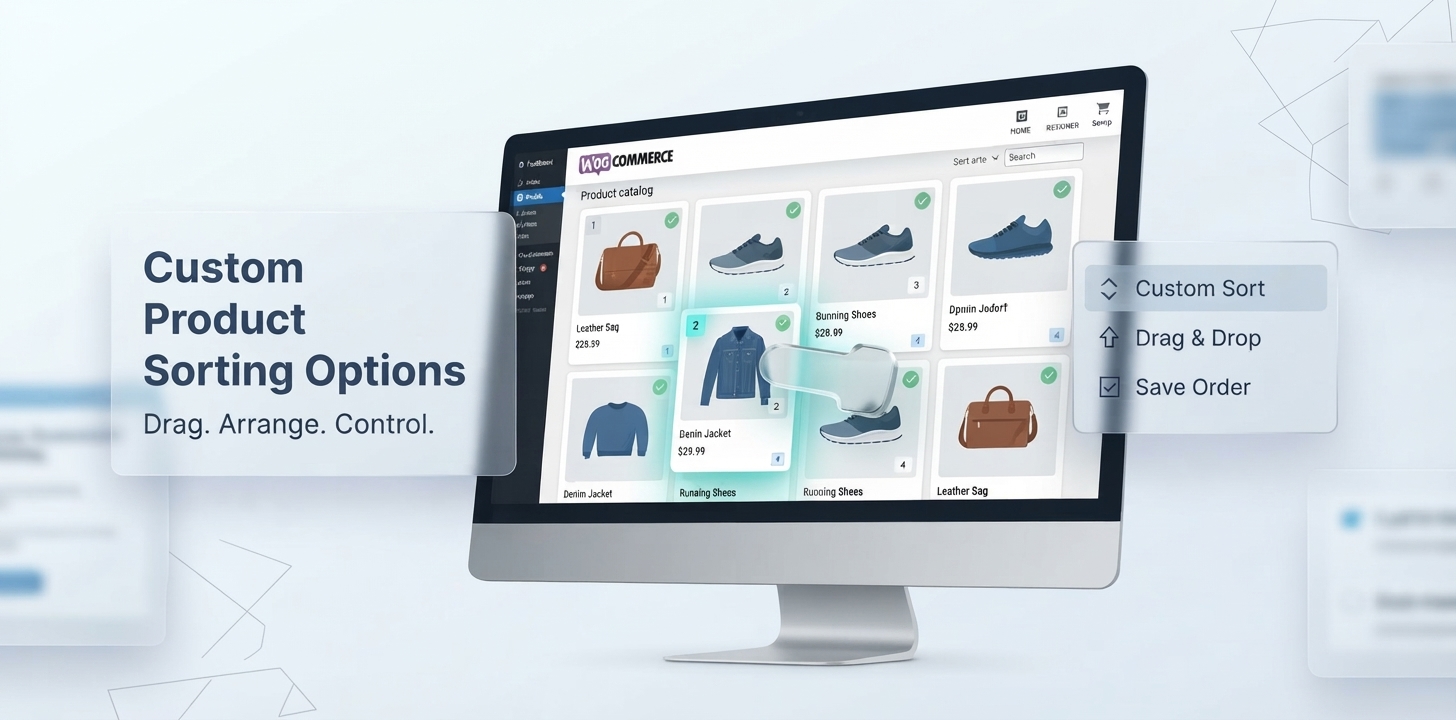
Take complete control of how products are sorted, ranked, and displayed in your WooCommerce store. Custom Product Sorting Options for WooCommerce is an advanced WooCommerce product sorting and reordering plugin built for stores that need more than basic drag-and-drop product ordering.
Easily reorder and sort products with a visual drag-and-drop interface, grid and table views, bulk actions, undo/redo, sorting history, and precise catalog control. Create different product sorting strategies globally or at the category, subcategory, tag, and brand level, including WooCommerce taxonomies.
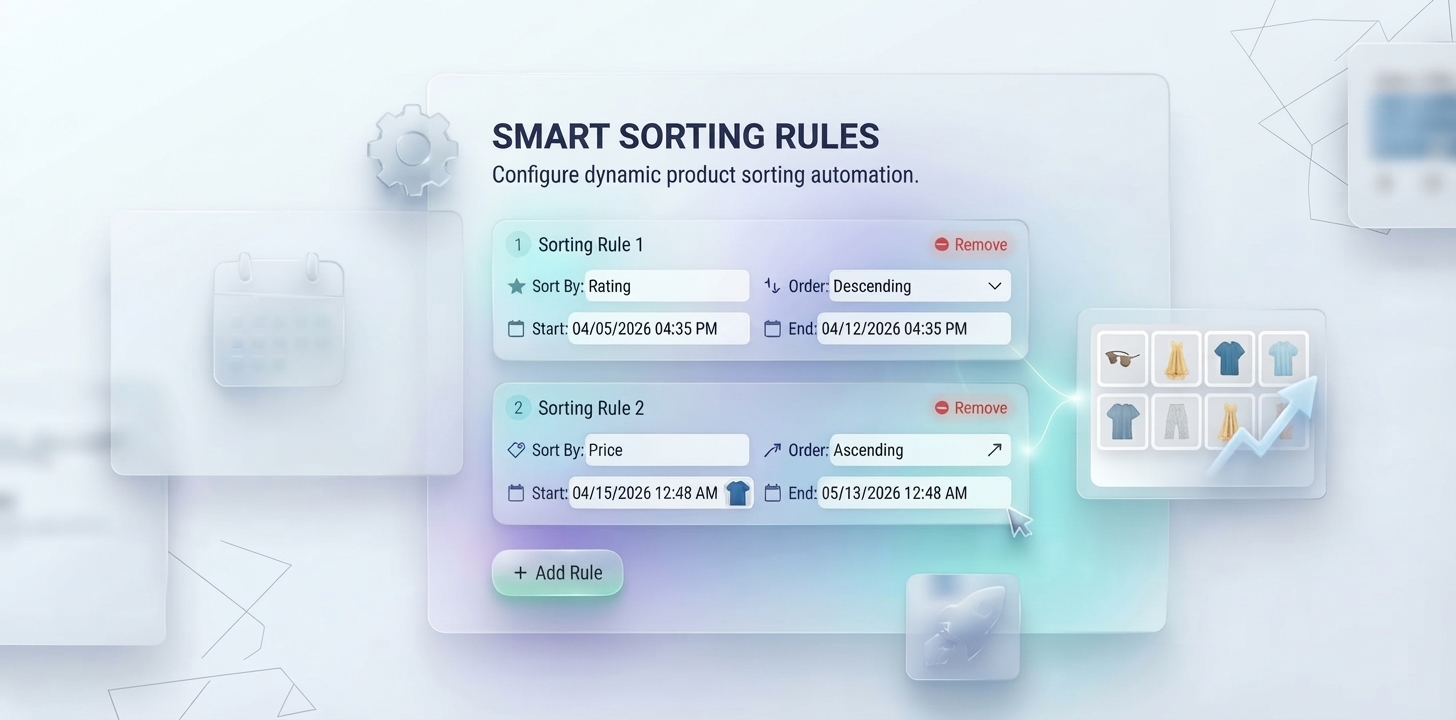
Go beyond manual product sorting with powerful automatic sorting rules based on product ID, name, date, price, rating, reviews, views, sales, popularity, SKU, stock status, featured products, sale products, and custom product metadata. Schedule sorting rules to run automatically and keep your product catalog organized without constantly managing products manually.
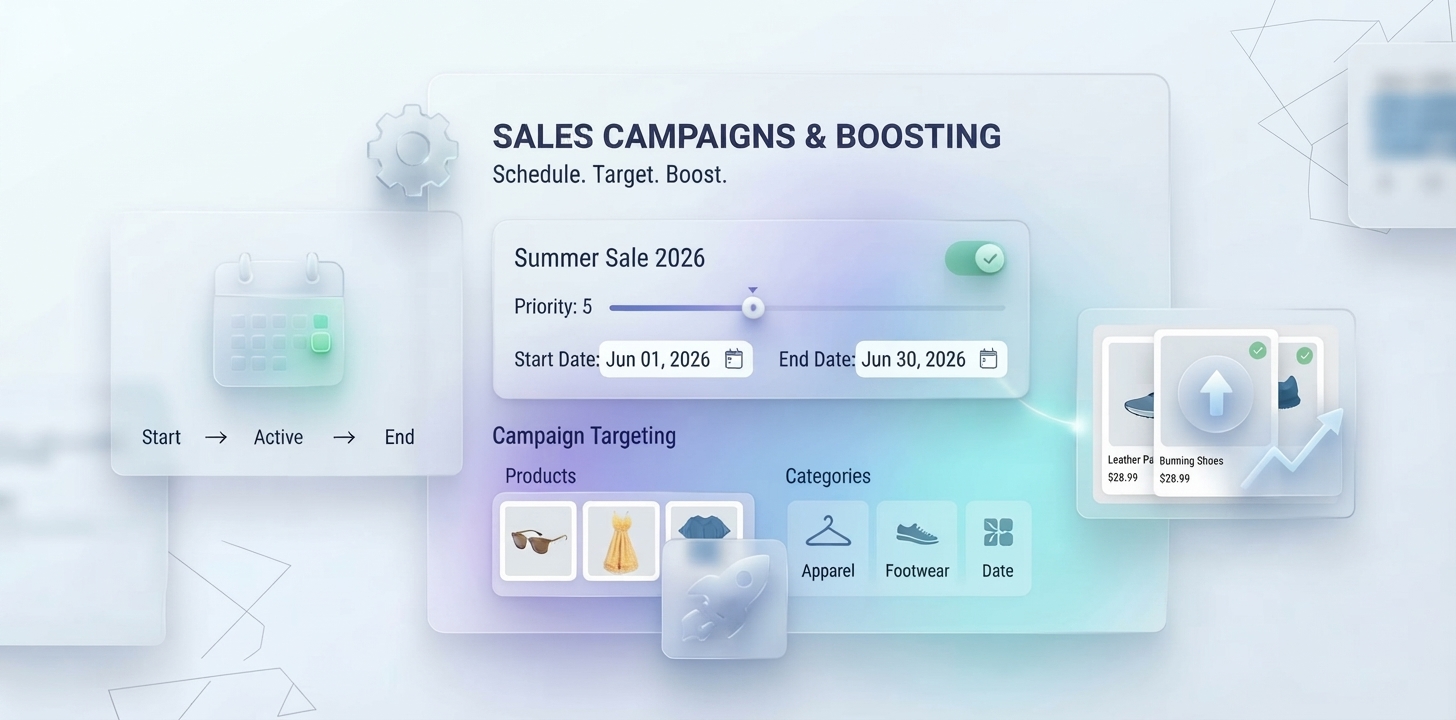
Use product merchandising campaigns to feature products, boost product rankings, and promote selected products during seasonal or promotional periods. Control how out-of-stock products are displayed, including hiding products, moving them to the top or bottom, controlling add-to-cart behavior, and applying stock thresholds.
Built for growing WooCommerce stores, the plugin combines product sorting, product reordering, automated catalog sorting, merchandising, product boosting, stock management, scheduling, and analytics in one powerful solution.
Whether you need to sort products by category, reorder products by tag, customize brand-level product sorting, boost best sellers, promote products on sale, organize large catalogs, or automate your WooCommerce product ordering, Custom Product Sorting Options gives you the flexibility and control to create the product catalog experience you want.
Sort smarter. Merchandise better. Control your WooCommerce catalog.
Pin Products to the Top: Promote selected products to the top of category, tag, brand, or shop listings while preserving your configured product order.
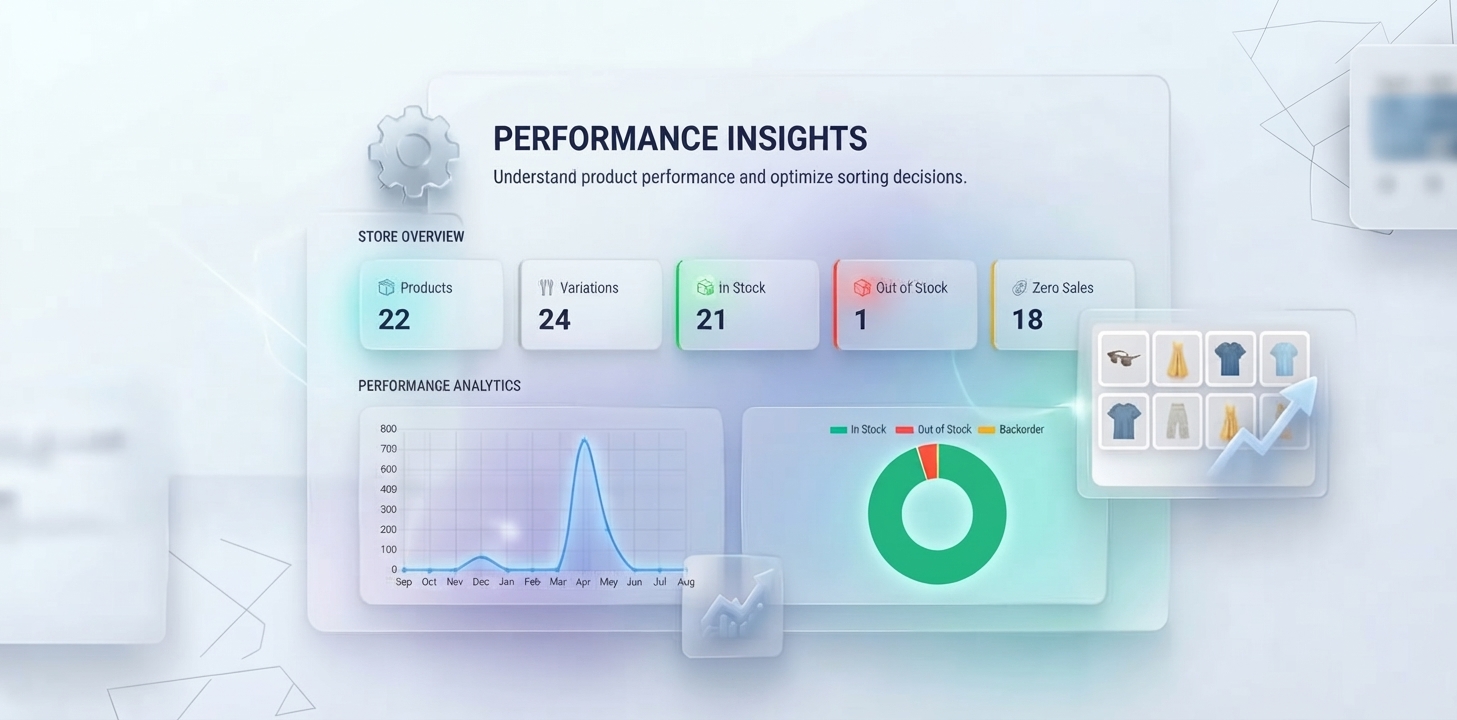
Merchandising Analytics: Understand how your catalog is performing with analytics covering products, variations, stock status, sales performance, categories, and product activity.
Best Sellers & Low Performers: Identify top-performing products, low performers, and potential dead stock so you can make more informed product merchandising decisions.
Smart Insights: Use automatically generated smart merchandising insights to identify products and catalog areas that may deserve attention.
Drag & Drop Product Sorting: Easily sort and reorder WooCommerce products with a fast, intuitive drag-and-drop interface.
Grid & Table Sorting: Choose between visual grid or table views to efficiently manage and reorder your product catalog.
Global Product Sorting: Control the product order across your entire WooCommerce shop with global sorting rules.
Category, Tag & Brand Level Sorting: Create independent product sorting rules for product categories, product tags, and product brands.
Automatic Product Sorting Rules: Automatically sort products by ID, name, date, price, rating, reviews, views, sales, SKU, stock, featured status, and sale status.
Smart Product Merchandising: Put your best-selling, featured, promotional, or high-performing products where customers are most likely to see them.
Product Boosting Campaigns: Create scheduled merchandising campaigns to feature products and boost their ranking during promotions, launches, and seasonal sales.
Scheduled Product Sorting: Schedule automatic sorting and merchandising operations based on specific dates, times, and recurring schedules.
Sort Out-of-Stock Product: Move, hide, or manage out-of-stock and low-stock products to keep your WooCommerce catalog organized.
Undo & Redo Sorting Changes: Experiment with product arrangements confidently using Undo and Redo controls within the manual sorting interface.
Reset Product Order: Quickly restore the sorting order when you want to start over or return from a custom arrangement.
Sorting History: Keep track of product sorting changes with a dedicated sorting history interface.
Snapshot Export & Import: Export product sorting snapshots for backup, migration, staging, or store management and import previously saved snapshots when needed in JSON or CSV format.
Organize your WooCommerce catalog exactly the way you want with flexible product sorting and reordering tools designed for both small stores and large product catalogs. Apply automatic sorting rules when you want products to be organized by performance or product data, or switch to manual merchandising when you need complete control over the exact product order.
With global sorting and taxonomy-level sorting, you can create a consistent catalog structure while still giving individual categories, tags, and brands their own product-ordering strategies.
Key capabilities:
Reorder WooCommerce products visually instead of manually managing product positions one by one. The intuitive sorting workspace makes it easy to arrange products exactly where you want them and quickly adjust your catalog as your merchandising strategy changes.
Choose the view that works best for your catalog:
Grid View
Visually arrange products using product cards for a more intuitive merchandising workflow.
Table View
Work with a structured product list when managing larger catalogs or making precise product-ordering changes.
Work faster with:
Different product collections often need different merchandising strategies. Custom Product Sorting Options lets you override your general sorting configuration at the product category, product tag, and product brand level.
For example, your main shop can prioritize best-selling products while a specific category uses price sorting, a seasonal tag uses manual merchandising, and a brand archive uses a completely different product order.
This gives store owners much more granular control over their WooCommerce catalog.
Configure sorting independently for:
For each supported taxonomy, you can configure options such as:
Product sorting isn’t only about arranging products alphabetically or by price. Use product merchandising controls to decide which products receive greater visibility throughout your catalog.
Pin important products to the top, prioritize high-performing products, arrange promotional products strategically, and create custom product sequences for campaigns and collections.
Make better product-ordering decisions using built-in WooCommerce merchandising analytics.
Instead of relying only on manual assumptions, review your store’s product and sales performance to understand which products deserve more visibility and which products may need attention.
Quickly monitor:
Understand your catalog with:
Identify:
Use automatically generated insights to identify areas of your catalog that may benefit from merchandising or sorting changes.
Protect and transfer your product sorting configurations with built-in Snapshot Transfer.
Export sorting snapshots when you need to back up your merchandising configuration, migrate sorting data between environments, or preserve a particular catalog arrangement.
Supported workflows include:
Use Custom Product Sorting Options to create merchandising strategies for different types of WooCommerce catalogs.
Promote Best Sellers
Place your strongest-selling products where customers can discover them more easily.
Launch New Products
Give newly launched products greater visibility within relevant categories and collections.
Create Seasonal Catalogs
Manually arrange products for seasonal promotions, holidays, campaigns, and special collections.
Merchandise Individual Brands
Give different brands their own sorting and product-ordering strategies.
Optimize Large Catalogs
Use automatic sorting and visual bulk-management tools to reduce repetitive catalog management.
Manage Slow-Moving Products
Use analytics to identify low performers and make informed merchandising decisions.
| Basic Product Sorting | Custom Product Sorting Options |
|---|---|
| Basic sorting rules | Advanced sorting strategies |
| Manual ordering | Drag-and-drop merchandising |
| One general ordering | Global + taxonomy-level control |
| Basic category sorting | Category + tag + brand overrides |
| Product reordering | Product merchandising |
| Limited product visibility control | Pinned product management |
| No performance context | Merchandising analytics |
| Manual configuration | Automated/scheduled workflows* |
| Basic catalog management | Snapshot backup & transfer |
Not Review Found.
Reviews
There are no reviews yet.