
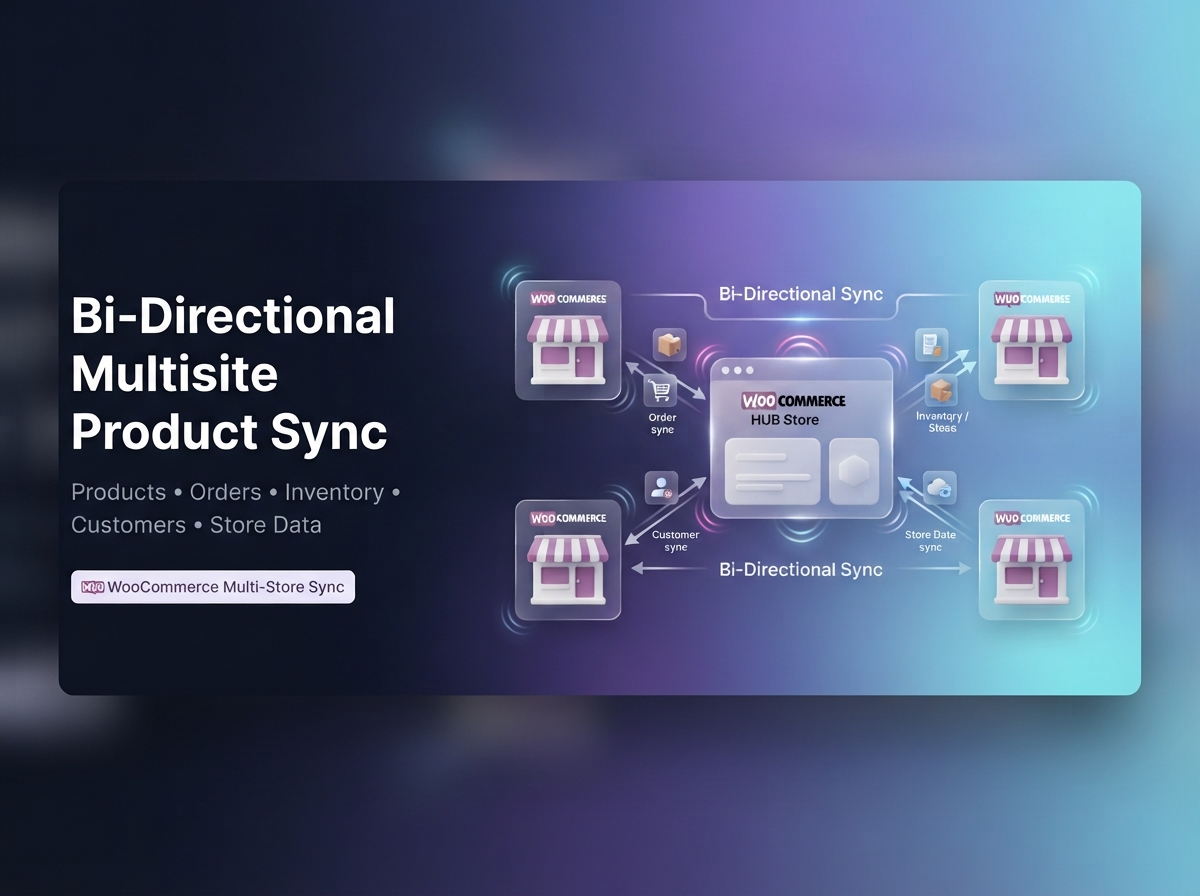
Connect multiple WooCommerce stores to one central HUB and keep your essential store data synchronized in either direction.
Two-Way Multi Store Product & Inventory Sync for WooCommerce gives growing businesses a powerful way to automate WooCommerce product sync, order sync, inventory sync, customer sync, and multi-store data synchronization without managing the same information separately on every store.
Synchronize from the HUB to connected stores, pull changes back from individual stores, or run a true bi-directional WooCommerce sync workflow.
WordPress Multisite is not required. Connect independent WooCommerce stores across different domains, servers, or hosting environments.
Stop updating products, inventory, orders, and store data one website at a time.
Create a centralized WooCommerce synchronization workflow where your stores stay connected while you remain in control of what gets synchronized, where it goes, and in which direction.
Push supported product, inventory, order, customer, coupon, and store data from your central WooCommerce store to connected stores.
Bring supported changes from connected WooCommerce stores back into the HUB automatically.
Allow supported data to move in either direction while intelligent mappings and loop protection help prevent duplicate synchronization.
Keep product information consistent across your connected WooCommerce stores without repeatedly maintaining the same catalog.
Synchronize supported:
Choose exactly which product fields should synchronize so every connected store can follow the workflow your business needs.
Reliable WooCommerce multi-store product sync depends on knowing whether a product already exists before creating another one.
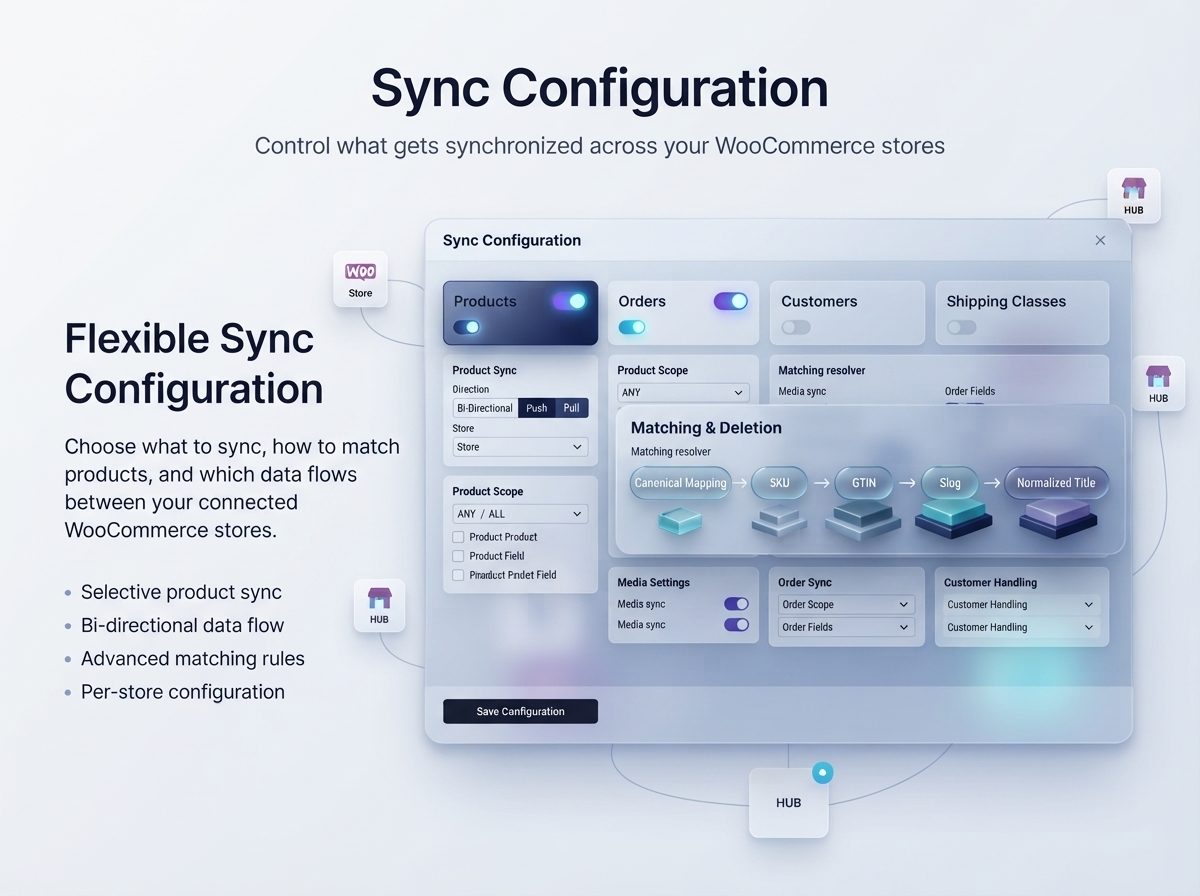
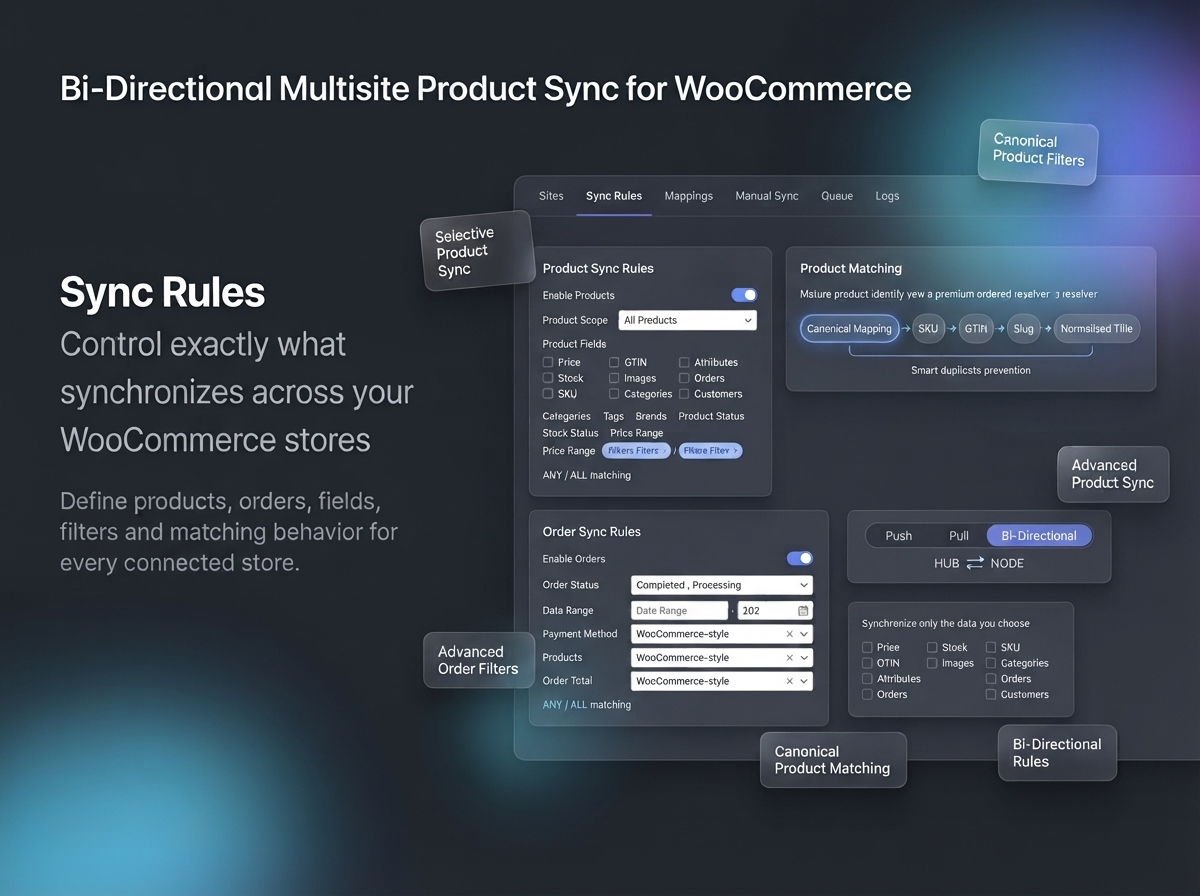
The built-in product resolver follows a carefully ordered matching process:
Persistent Mapping → SKU → GTIN → Slug → Exact Title → Create New
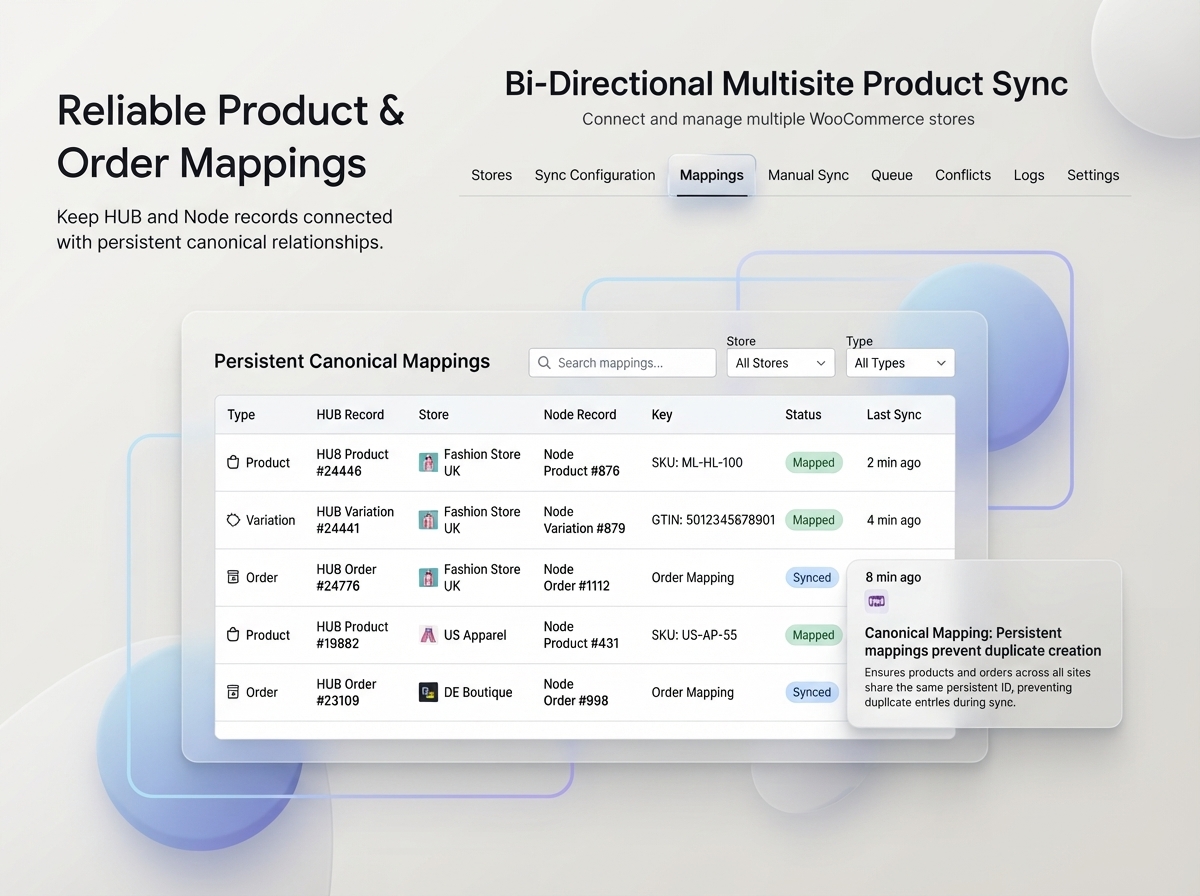
Once products are mapped, their persistent relationship becomes the primary identity.
That means changing a product title, SKU, price, or other supported field does not automatically make the plugin treat it as a completely new product.
Conflicting or ambiguous identities are stopped for review instead of allowing unsafe automatic remapping.
Variable products need more than basic product copying.
Keep parent products and their variations connected while synchronizing supported:
The synchronization engine keeps the parent product as the primary relationship while still tracking individual variations for accurate mappings and clearer queue visibility.
Keep stock information aligned across connected stores with configurable WooCommerce inventory synchronization.
Synchronize supported inventory fields such as:
Choose which stores participate and which inventory fields are allowed to update.
Reduce repetitive stock management across multiple WooCommerce websites while retaining centralized control.
Repeated synchronization should not mean repeated image uploads.
The media synchronization engine attempts to identify and reuse previously synchronized attachments before uploading another copy.
It supports:
This helps reduce unnecessary duplicate media and keeps repeated WooCommerce product updates cleaner.
Move supported WooCommerce orders between connected stores without manually recreating customer, billing, shipping, product, fee, coupon, and tax information.
Use WooCommerce order sync for:
Persistent order mappings help existing synchronized orders remain connected instead of being treated as new orders every time.
Do not synchronize every order when your workflow only needs a specific group.
Filter eligible orders using criteria such as:
Choose between:
Synchronize orders matching at least one configured criterion.
Synchronize only orders that satisfy every configured criterion.
This makes it easier to migrate historical orders, synchronize selected statuses, or start order synchronization from a specific date.
Extend your multi-store workflow beyond products and orders.
Synchronize supported:
Keep customer records available across connected WooCommerce stores where your workflow requires them.
Transfer WooCommerce coupon data between stores instead of recreating promotions manually.
Keep supported WooCommerce shipping-class structures aligned across your store network.
Each entity can be enabled or disabled independently.
Not every store needs the same catalog.
Build different synchronization rules for different connected WooCommerce sites.
Product filtering can include:
Use ANY or ALL matching to create flexible product-selection logic.
Perfect for regional stores, wholesale catalogs, brand-specific stores, international shops, or specialized storefronts.
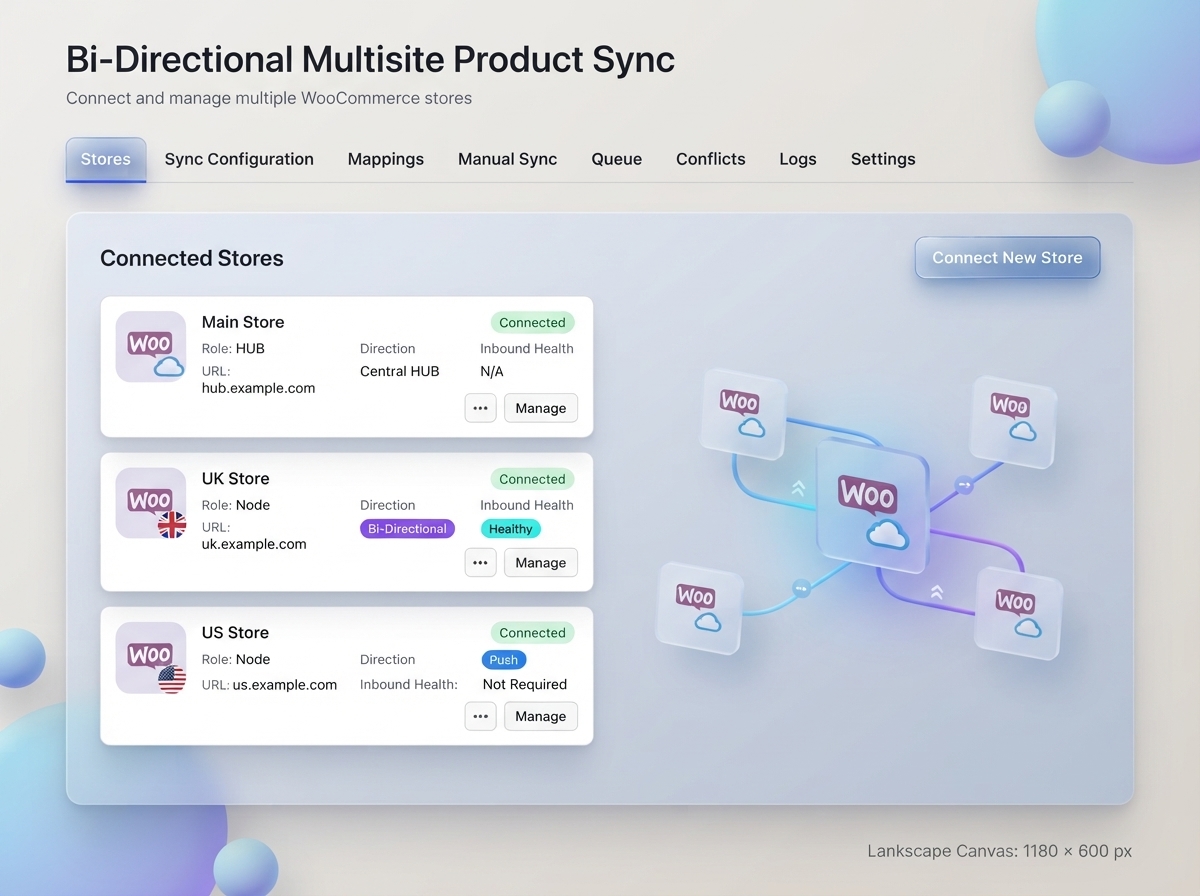
Manage synchronization from the HUB without maintaining the complete sync plugin on every connected WooCommerce site.
Node stores communicate through supported WooCommerce and WordPress APIs.
This makes it easier to manage several independent WooCommerce websites while keeping centralized synchronization logic on the HUB.
For inbound Node changes, the plugin uses WooCommerce webhooks for fast synchronization.
If webhook delivery is delayed or unavailable, an incremental polling safety mechanism can discover supported changes and queue them for synchronization.
That gives your bi-directional WooCommerce sync workflow an additional layer of reliability.
Large catalogs should not rely on one long browser request.
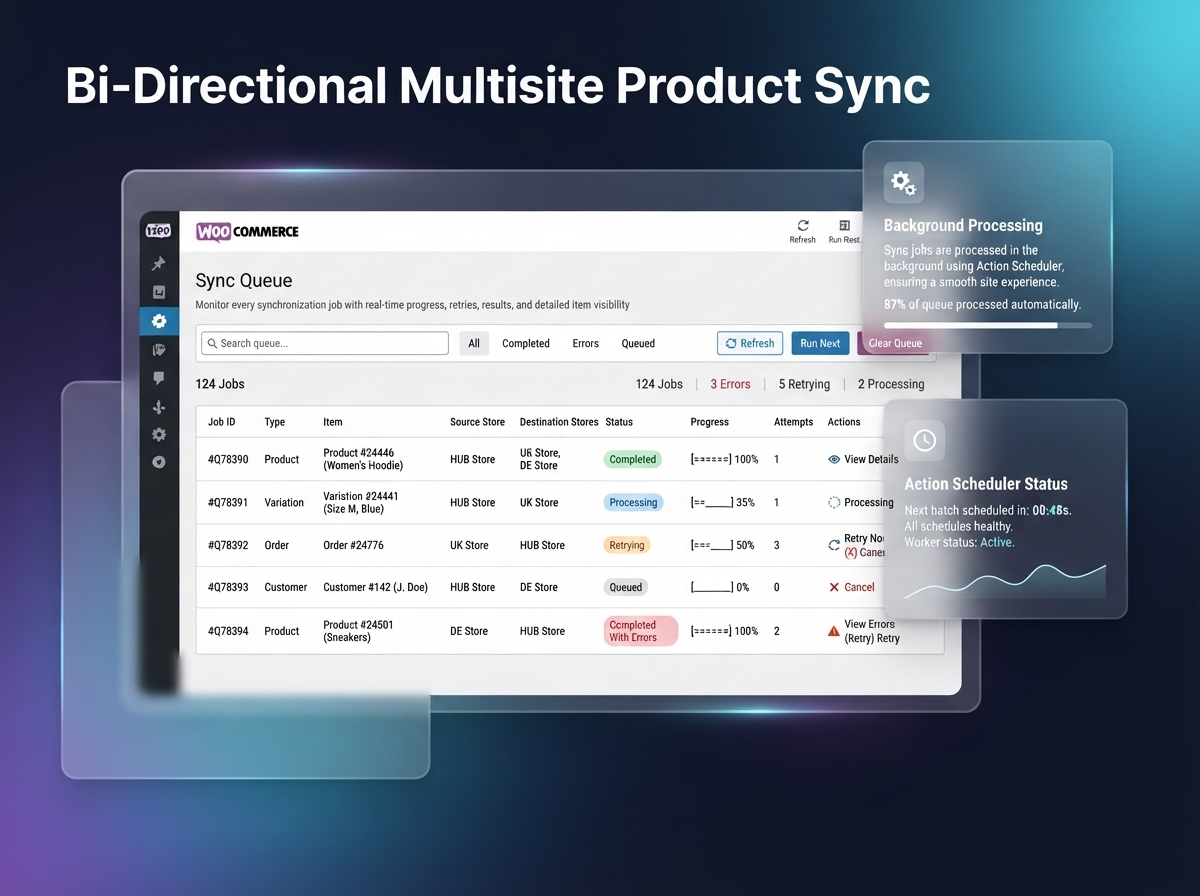
Synchronization runs through a background queue powered by WooCommerce Action Scheduler.
The queue provides:
Keep working in WordPress while synchronization continues in the background.
A professional sync workflow needs visibility.
The Queue, Mappings, Conflicts, and Logs areas make it easier to understand what is happening across connected stores.
Review:
For larger batches, use View Items to inspect the exact records that were queued.
Bi-directional synchronization can become unreliable if the same update continually bounces between stores.
The plugin tracks synchronization origin, mapped state, modification information, and processing context to help recognize self-generated updates.
A change pushed from the HUB should not immediately return as a new Node change, while a genuine later update on the Node remains eligible for synchronization.
You do not need to run a native WordPress Multisite network.
Use the plugin with:
Create one centralized HUB while allowing each connected WooCommerce store to retain its own installation.
Two-Way Multi Store Product & Inventory Sync for WooCommerce is built for merchants and agencies managing:
Spend less time repeating store-management work and more time growing your WooCommerce network.
Go beyond one-way product copying with supported HUB → Node and Node → HUB workflows.
Persistent mappings combined with SKU, GTIN, slug, and exact-title matching help minimize unnecessary product duplication.
Choose which entities, products, orders, and fields should participate.
Connect several independent WooCommerce stores to one central HUB.
Process larger synchronization workloads through WooCommerce Action Scheduler instead of long browser requests.
Monitor jobs, mappings, conflicts, retries, and synchronization logs from the HUB.
Reduce administration overhead by keeping the central synchronization engine on the HUB.
Whether you manage two WooCommerce websites or a growing network of connected stores, Two-Way Multi Store Product & Inventory Sync for WooCommerce gives you the control to synchronize products, inventory, orders, customers, and supporting store data from one centralized workflow.
Connect your WooCommerce stores. Choose what should synchronize. Let the queue handle the rest.
Not Review Found.
Reviews
There are no reviews yet.